Contributors


Few things annoy gamers more than lag. Better graphics, richer game mechanics and more players online have made it worse, not better. So what happens when the processing moves from your device to the cloud?
What is cloud gaming?
Cloud gaming runs a game on a powerful server in a data centre and streams it to your screen as live video. Your button presses travel back the other way. There's no console to buy and nothing to download, so almost any screen with a good connection becomes a games machine.
Cloud gaming and online gaming sound alike but work differently. The big difference is where the game is processed. In online gaming, your phone, PC or console does the work. Press the forward arrow and your device recognises the input, processes it and shows the result on screen. Cloud gaming removes the need to own that hardware, so games can run at 4K and 60 frames per second (FPS) on a basic device. All you need is a screen and a way to send input.
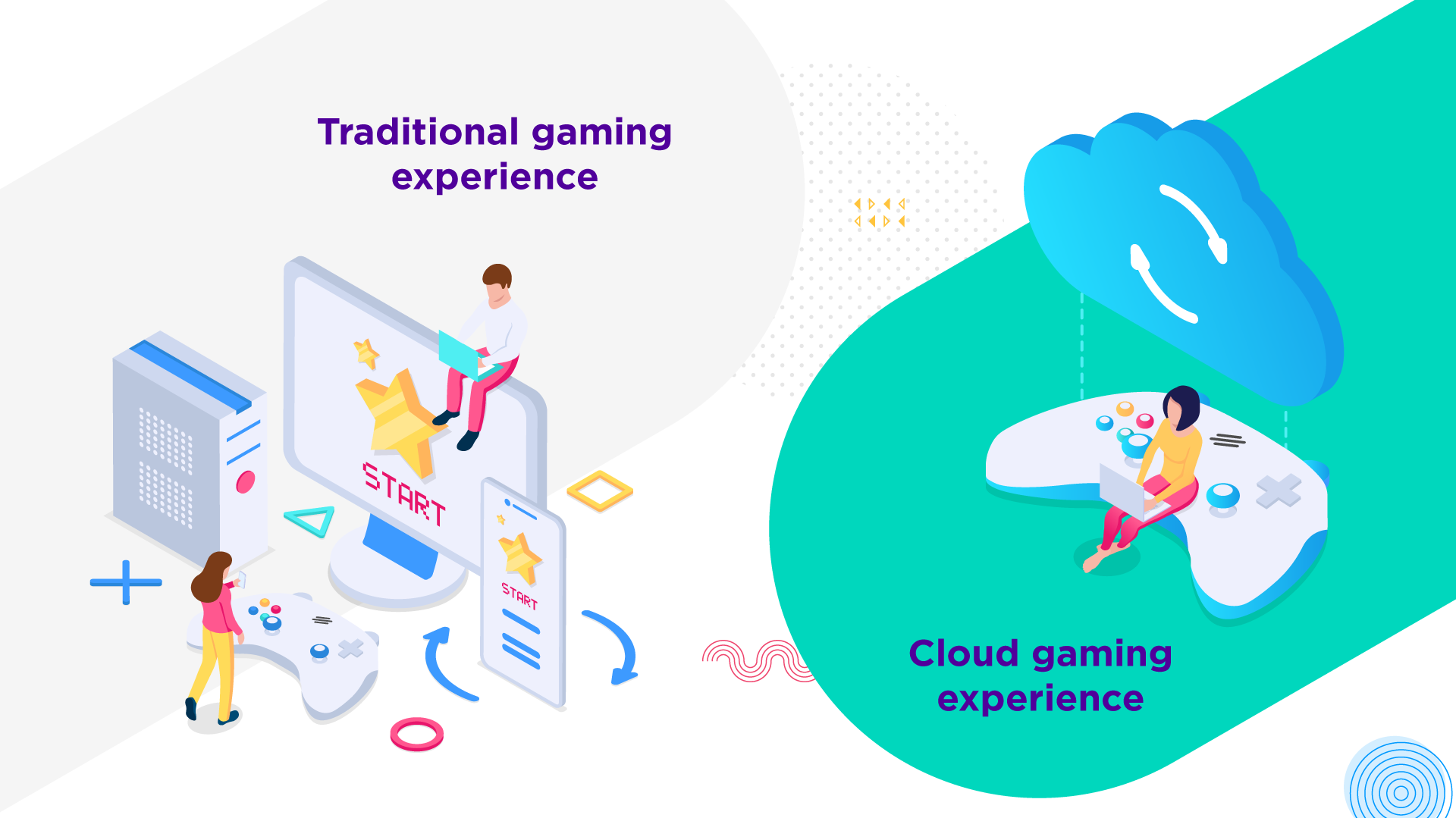
Put simply, cloud gaming is a video stream you can control. The video travels from the cloud to your screen the same way YouTube or Netflix does. The difference is that every button press has to travel back, so any delay shows straight away. The nearest server could be 100 kilometres away, and that's where bandwidth and latency start to matter.
How does cloud gaming work?
Every move you make goes round the same loop:
- You press a button and your device sends the input across the network to the cloud gaming server
- The server processes the input, runs the game and renders the next frame
- It compresses that frame into video and streams it back
- Your device decodes the video and shows it on screen
At 60 FPS, a new frame has to arrive about every 17 milliseconds. Any slow step in the loop shows up as lag.
What does cloud gaming need from the network?
Cloud gaming is a real-time service, so the quality of the connection counts for more than the headline speed. Four things matter:
- Latency: the time an input takes to reach the server and the video takes to come back. NVIDIA requires less than 80 ms between you and its data centre for GeForce NOW, and recommends less than 40 ms where possible
- Bandwidth: this sets picture quality. GeForce NOW asks for 15 Mbps for 720p, 25 Mbps for 1080p at 60 FPS and 45 Mbps for 4K at 120 FPS. Xbox says best performance comes at 10 Mbps on mobile and 20 Mbps on consoles, PCs and tablets
- Jitter: how much latency swings from moment to moment. A steady connection feels better than one that jumps between fast and slow, even if the average looks the same
- Packet loss: data that never arrives. Missing packets mean missing pieces of video, so the picture blurs, stutters or freezes
Services such as GeForce NOW include a network test that measures all four. A fast connection with high latency will feel worse than a slower, steadier one.
What does it look like from a network perspective?

Providers of consumer broadband usually manage the stream from the connectivity layer to the device layer over the public internet. A dedicated, private connection from the content to the connectivity layer gives the end user a lot more. It can be fully managed, stable and flexible, with bandwidth that scales from game publishers to your servers.
Bringing the cloud closer to you
Bringing the cloud closer to you and your players is an infrastructure challenge, and it takes real investment. Over the last couple of years Colt has densified its fibre network across Europe, Asia Pacific and North America, reaching over 212 cities. Your players are never far from your servers. With connections to over 200 cloud on-ramps, Colt is well placed to lower latency for them.
Colt Dedicated Internet Access, also called IP Access, delivers premium business internet up to 100 Gbps with a 99.99% SLA. Add Network as a Service and you can scale bandwidth in real time as player numbers rise and fall.
Frequently asked questions
What is cloud gaming?
Cloud gaming runs a game on a server in a data centre and streams it to your screen as video. Your inputs travel back to the server, so you can play on almost any device without owning powerful hardware.
How is cloud gaming different from online gaming?
In online gaming, your own device processes the game and only exchanges data with the game server. In cloud gaming, the processing happens in the cloud and you receive a video stream.
How much bandwidth does cloud gaming need?
It depends on resolution and frame rate. GeForce NOW asks for 15 Mbps for 720p, 25 Mbps for 1080p at 60 FPS and 45 Mbps for 4K at 120 FPS. Xbox says best performance comes at 20 Mbps on consoles, PCs and tablets.
What latency is acceptable for cloud gaming?
NVIDIA requires less than 80 ms between you and its data centre for GeForce NOW, and recommends less than 40 ms where possible. Lower is better, especially in fast games.
Why do jitter and packet loss matter?
Jitter makes response times uneven, and packet loss drops pieces of the video. Both make the stream stutter, blur or freeze, even when your bandwidth looks fine.
Does a dedicated connection improve cloud gaming?
It can. A dedicated, fully managed connection from the content to the connectivity layer is stable and flexible, with bandwidth you can scale. That means a steadier stream for your players.